Getting Started

Perfect 20 opens on Pick Your Game. This screen decides the shape of the run before the draft begins. Start from the live game at perfect-20.com when you want to play alongside the manual.

See also

Start the live app at perfect-20.com, build a collection lineup at perfect-20.com/me/team, then compare the main choices: Normal, Knowledge Mode, Elimination, and Normal Multiplayer.

../../../_images/perfect-20-pick-your-game-modes.png

Pick a mode card to start a new run.

Start a Normal Run

  1. Choose Normal.

  2. Wait for the scenario to open.

  3. Begin the draft on Roll 1 of 8.

  4. Fill the roster, then choose a defense and coach.

  5. Run the season.

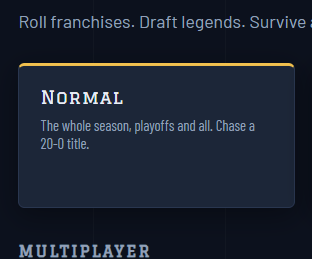
../../../_images/normal-mode-card.png

Normal is the full-season mode: regular season, playoffs, and the chase for a 20-0 title.

Use Normal Multiplayer when you want the Normal-style season path to include published player teams.

Turn on Knowledge

Knowledge can be started as its own card or through the modifier checkbox. In this mode, the draft hides ratings and stat help, so your picks depend on player recognition and roster fit.

../../../_images/knowledge-mode-card.png

Knowledge Mode is the blind-draft version of a full-season run.

Find the Help Button

The round ? button on the mode screen opens the in-app how-to-play help. Use it when you want a quick rules reminder without leaving the app.