My Team
My Team is the signed-in roster surface. Use it to manage the cards you own, set your 13-man lineup, publish a team version, and make that team eligible for My Team Season or Normal Multiplayer. Open perfect-20.com/me/team when you want to compare these screens against your current roster.
See also
My Team connects directly to Normal Multiplayer, Card Store, and Earn FranchisePoints. The live app routes are My Team, Store, and Earn.
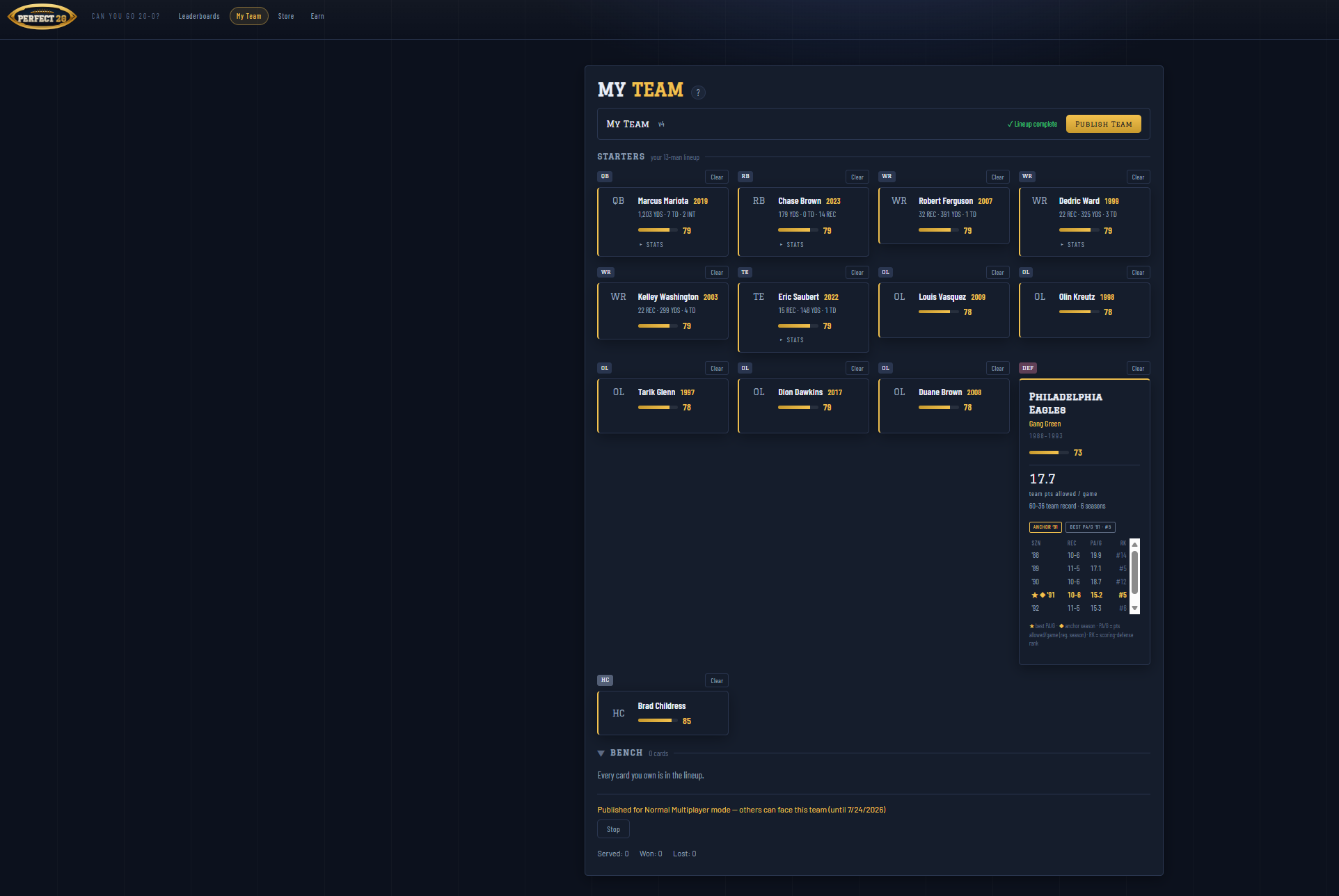
Fig. 12 The My Team tab shows the active lineup, publish status, bench, and opponent performance panel.
This overview screenshot shows the whole workflow in one place: the 13 starter slots, the Publish Team button, the collapsible bench, and the multiplayer opponent panel at the bottom.
Starters
The starters area is your 13-man lineup:
QB
RB
WR1, WR2, WR3
TE
OL1, OL2, OL3, OL4, OL5
DEF
HC
A lineup must be complete before it can be published. Filled slots show the card, season, rating, and available stat detail. Empty slots show a pick-from- bench placeholder.
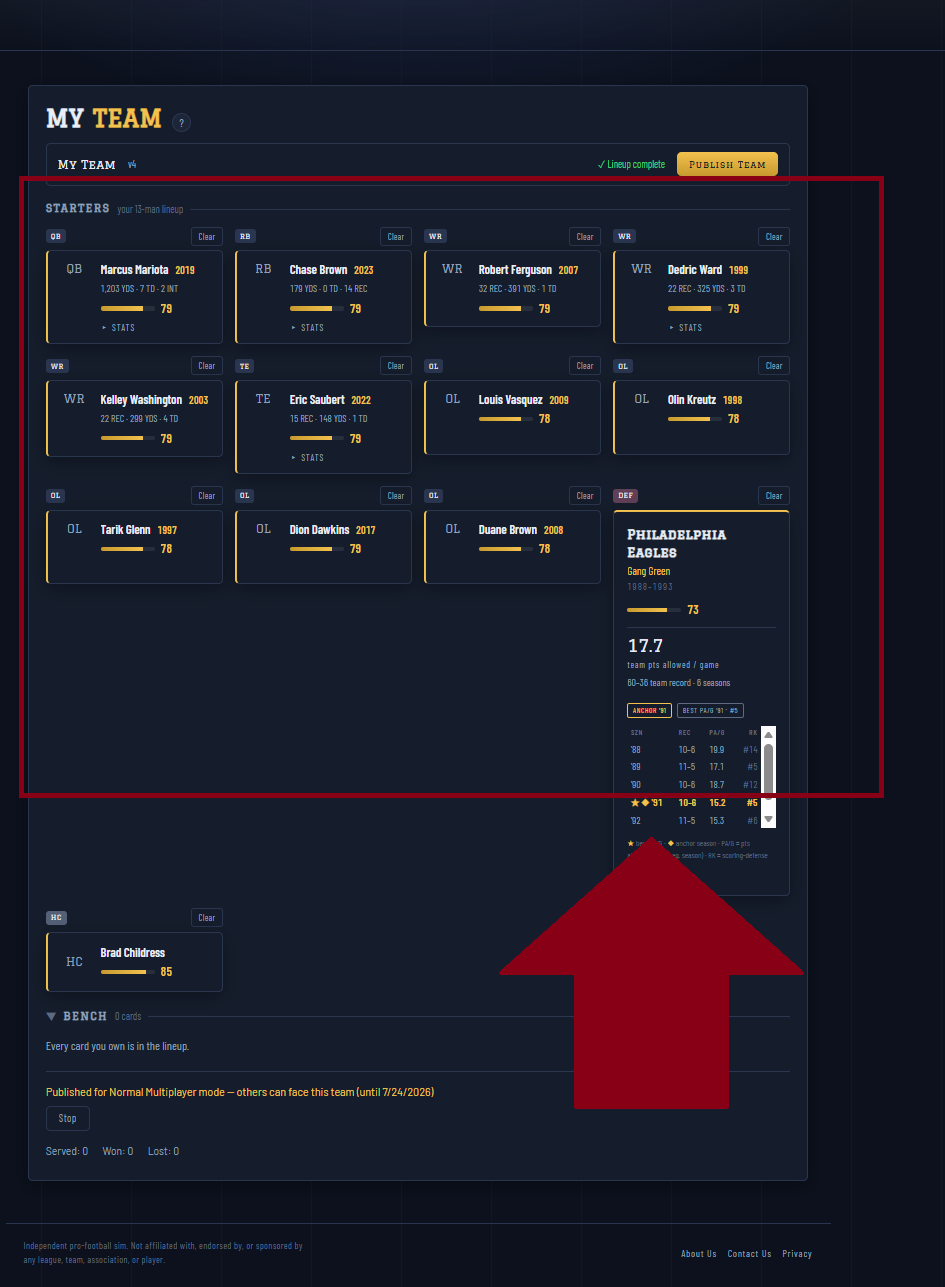
Fig. 13 Starters are the cards that define the published team version.
The highlighted starters area is the lineup that becomes part of the published snapshot. The defense card on the right shows expanded unit history, while the offensive and coach cards show the ratings used by the team.
Bench
The bench contains owned cards that are not currently in the lineup. If a bench card fits an empty slot, the page shows a Start at action for that slot. Cards with no open compatible slot stay on the bench until a starter is cleared.
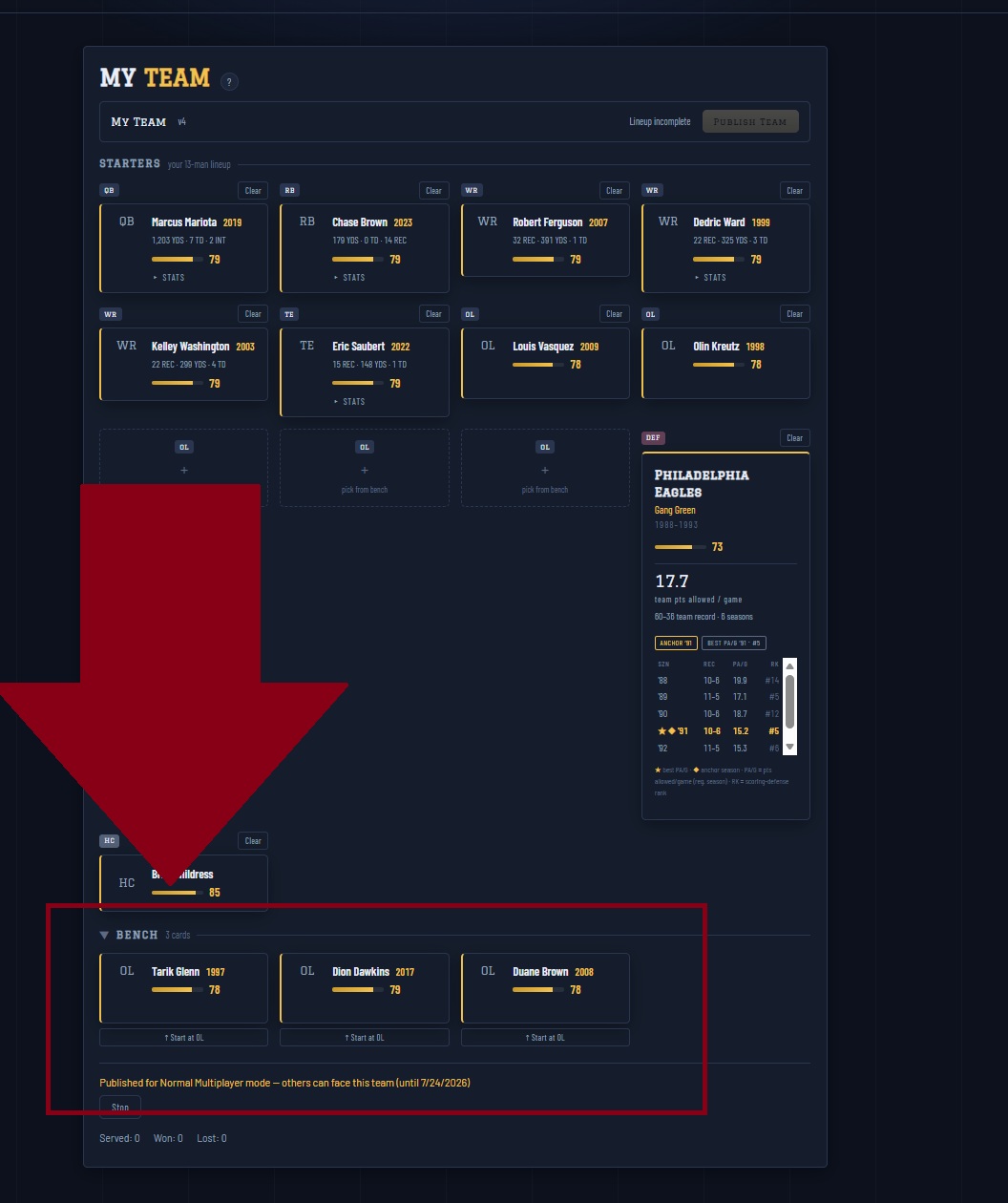
Fig. 14 Bench cards can move into compatible open lineup slots.
The bench screenshot highlights cards that are owned but not starting. Use the Start at action under a bench card when it fits an empty slot.
Clear a Slot
Use Clear when you want to remove a starter from the lineup. Clearing a slot does not delete the card; it returns the card to the bench so you can start a different card in that position group.
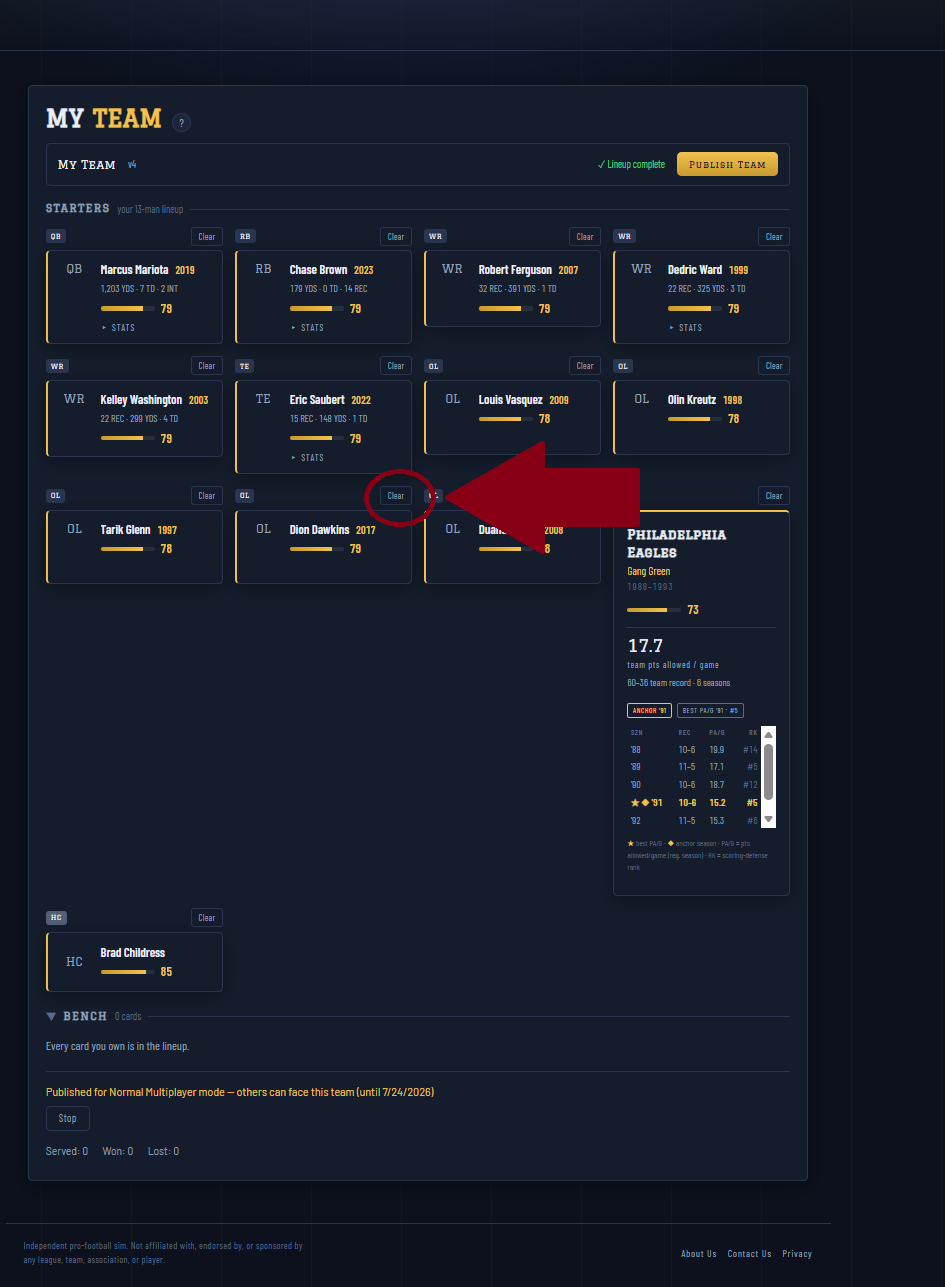
Fig. 15 The Clear action opens a slot without discarding the card.
The red arrow points at the small Clear buttons above starter slots. Clearing is how you make room for a bench card without losing ownership of the cleared card.
Publish Team
Publish Team locks the current complete lineup into a version. My Team Season and Normal Multiplayer use the active published version, not a loose set of cards that can change while a run is already in progress.
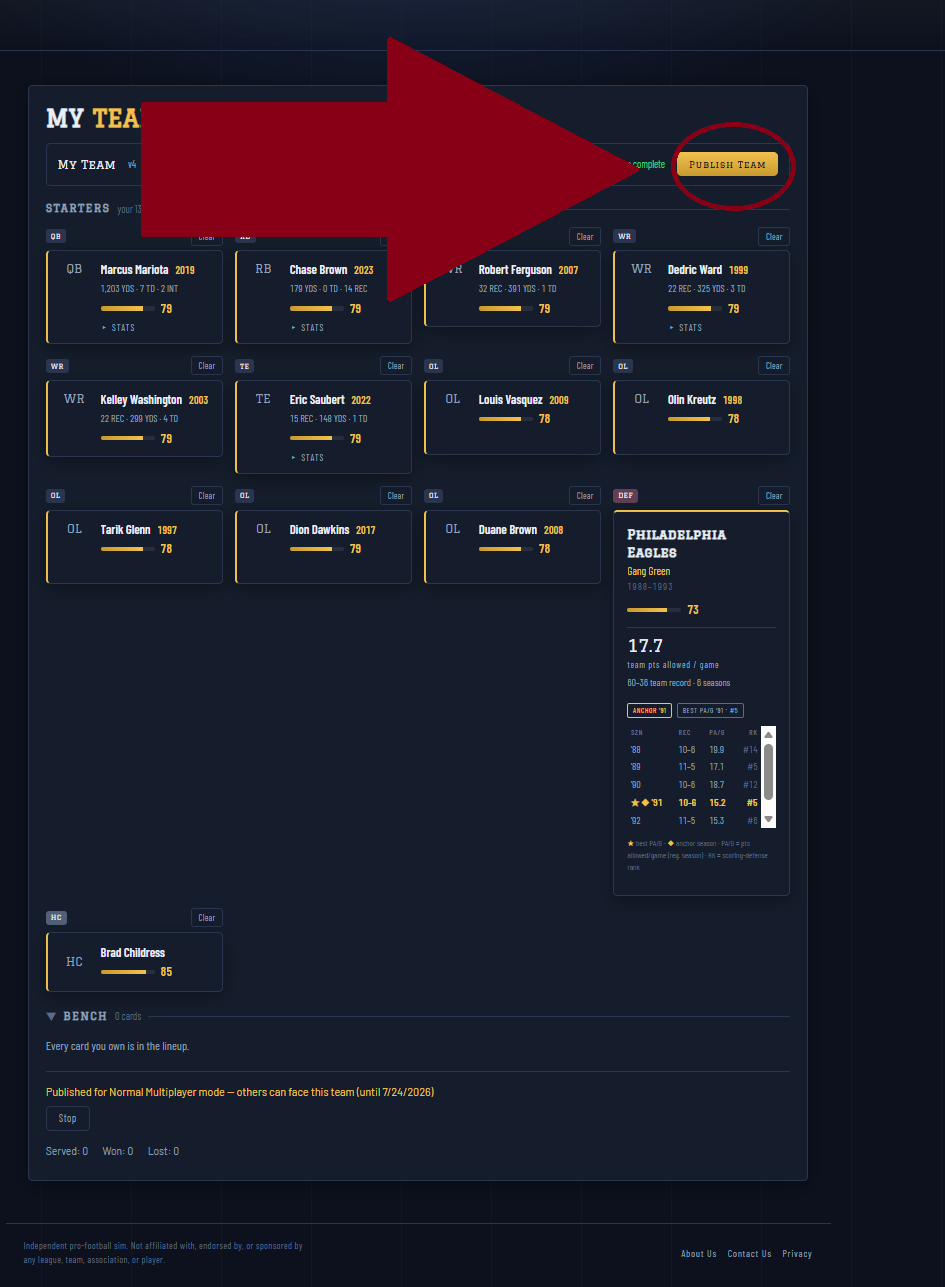
Fig. 16 Publish after the lineup is complete and ready to use.
The arrow points to Publish Team. That button becomes the important action after every starter slot is filled and the lineup is marked complete.
Note
Publishing creates a snapshot. If you change the lineup later, publish again so new runs and multiplayer exposure use the latest version.
Opponent Performance
When Normal Multiplayer publishing is enabled, the My Team page can show whether the active version is in the opponent pool. That panel also tracks passive opponent results:
- Served
How many times the published team was placed into another player’s Normal Multiplayer schedule.
- Won
How many of those games the published team won as the opponent.
- Lost
How many of those games the published team lost as the opponent.
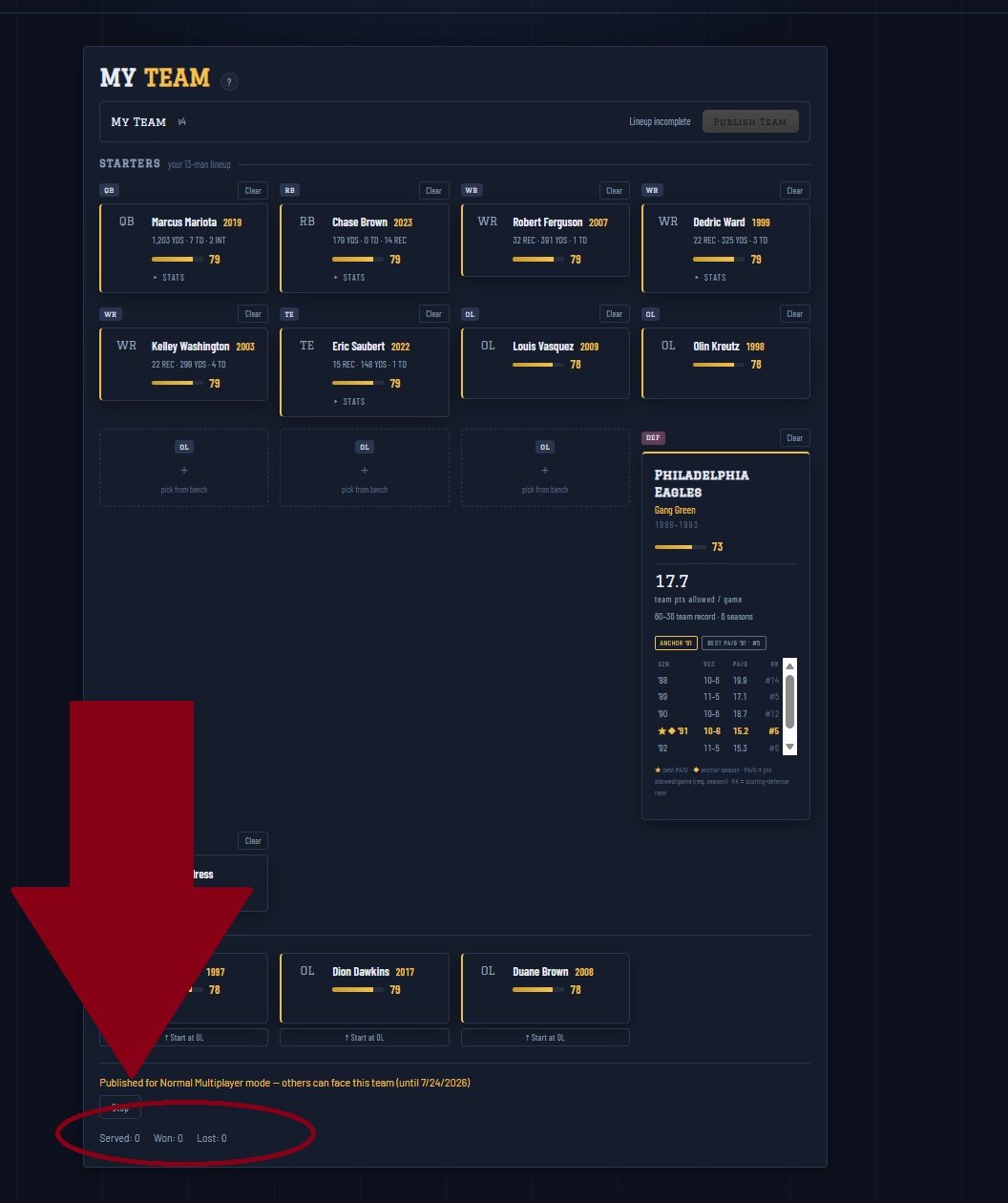
Fig. 17 Served, Won, and Lost summarize how the published team performs when other players face it.
The circled numbers are passive multiplayer feedback. They tell you whether the published team is being served into other players’ schedules and how it performs when it appears there.
Use Stop if you want to remove the team from the opponent pool before its published eligibility expires.