Profile
The Profile page combines account settings, My Team stats, FranchisePoints history, career performance, favorite picks, mode scores, and recent runs. Open perfect-20.com/profile to review it.
See also
Profile explains what happened after the run. Use it with My Team, Earn FranchisePoints, and Quick Reference. The related live pages are My Team and Earn.
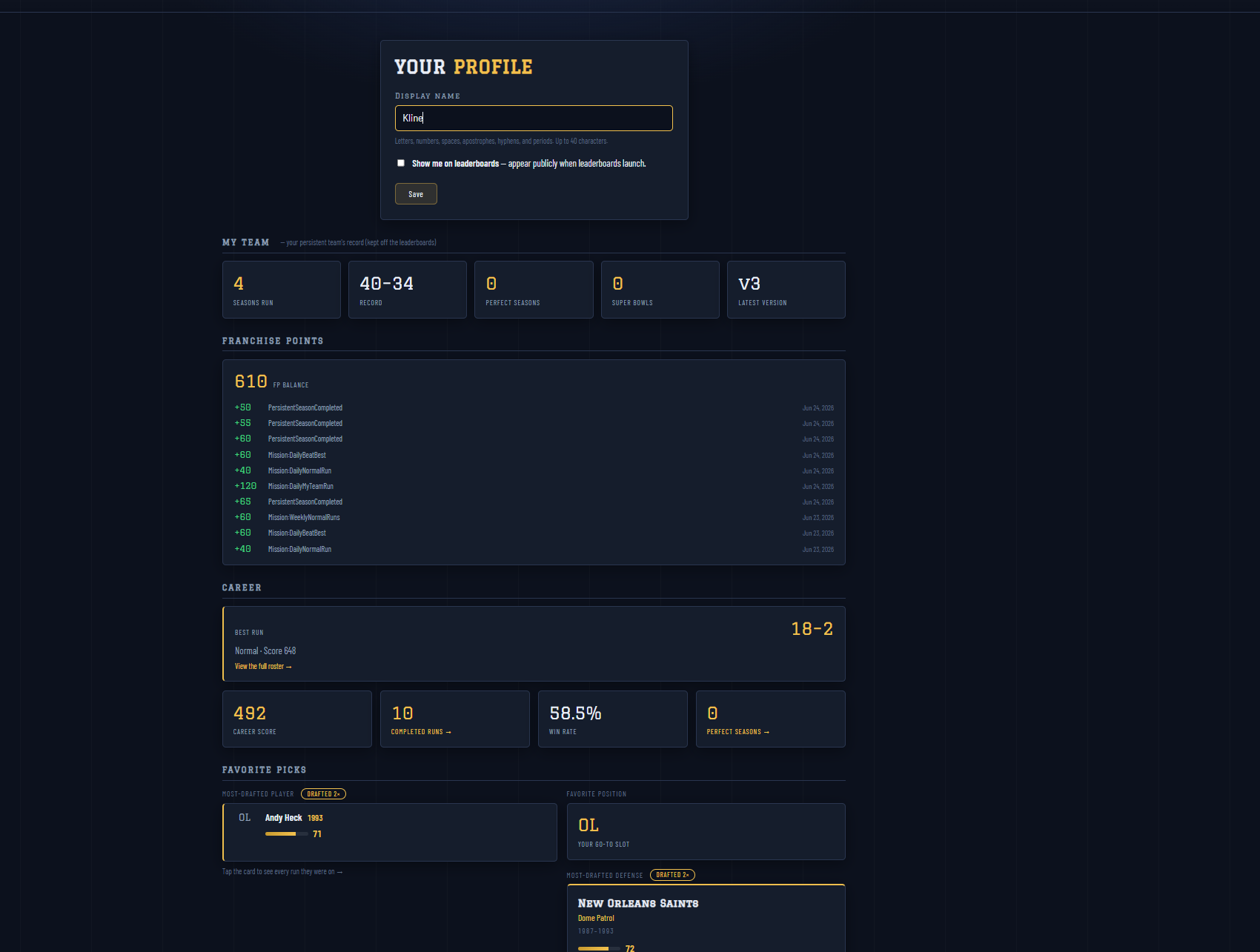
Fig. 22 The top of Profile handles account settings, My Team stats, FP history, career summary, and favorite picks.
The top screenshot shows the editable display name, leaderboard visibility checkbox, My Team stat tiles, the FranchisePoints ledger, career score cards, and favorite-pick panels.
Account Settings
The profile form controls your display name and leaderboard visibility.
- Display name
Up to 40 characters. The app accepts letters, numbers, spaces, apostrophes, hyphens, and periods.
- Leaderboard visibility
The Show me on leaderboards checkbox controls whether the account appears publicly when leaderboard surfaces are available.
Use Save after changing either setting.
My Team Stats
The My Team panel is separate from the public leaderboard career. It tracks persistent-team activity, including seasons run, record, perfect seasons, Super Bowls, and latest published version.
This matters because My Team Season and Normal Multiplayer are collection-based runs. They are useful for team progress even when they are kept off the main public leaderboard totals.
FranchisePoints Ledger
The FranchisePoints panel shows current FP balance and recent ledger entries. Positive rows are earned points. Negative rows can appear when points are spent in the Store.
Common entries include mission rewards, completed My Team runs, and passive opponent rewards when that feature is enabled.
Career and Favorites
Career shows your best run, career score, completed runs, win rate, and perfect season count. Favorite Picks show your most-drafted player, position, defense, and coach once enough run history exists.
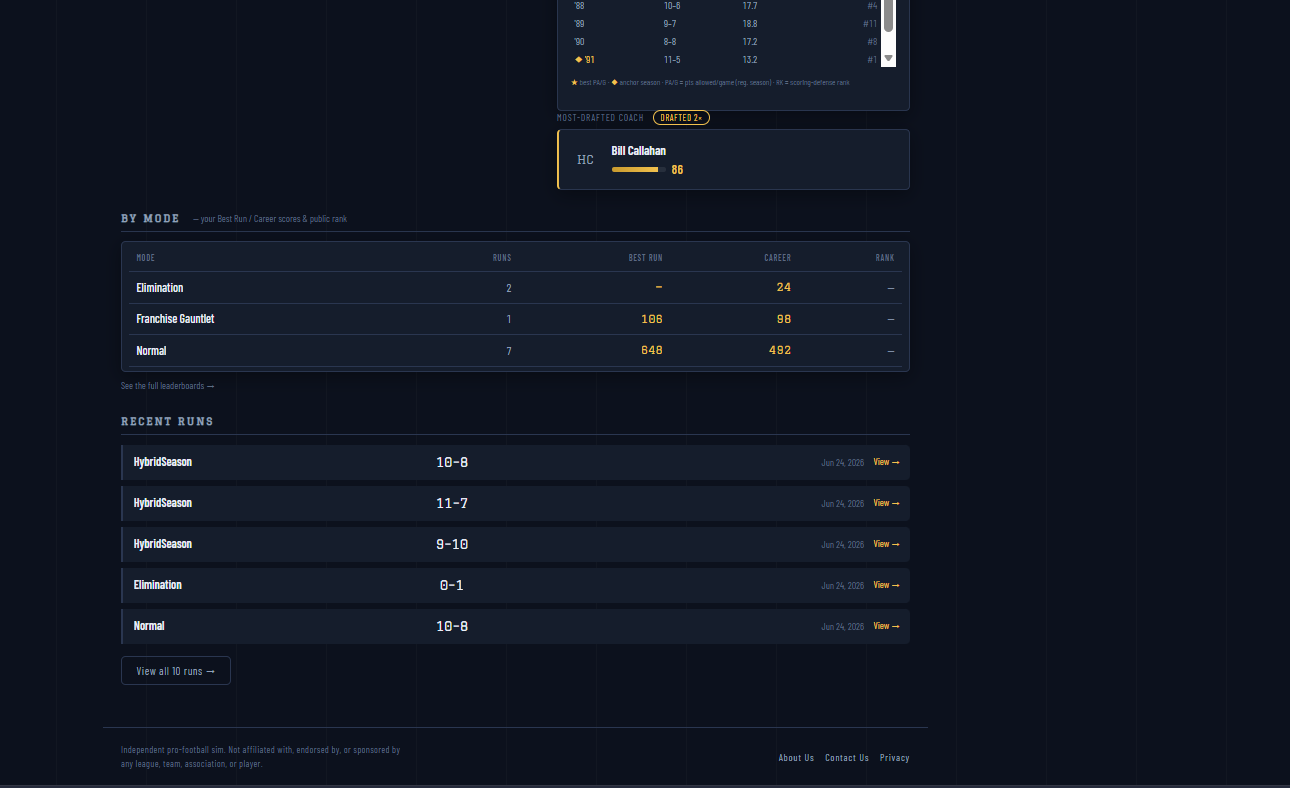
Fig. 23 Lower Profile sections break down mode scores and recent runs.
The lower screenshot shows the mode-by-mode table and recent runs list. Use these areas when you want to jump back into a completed attempt or see which mode is producing your best score.
By Mode and Recent Runs
The lower Profile area groups your results by mode and lists recent runs. Use these sections when you want to answer practical questions:
Which mode has my best score?
Which mode have I played most?
What was the record of my latest Normal Multiplayer or My Team run?
Which completed run should I open for the full roster?
Use View or View all runs when you need the full attempt detail.