Normal Multiplayer
Normal Multiplayer is the multiplayer-flavored version of the normal full-season chase. In the current app, this lane can appear as Normal Multiplayer or as the Hybrid Season path when async opponent features are enabled. It starts from your published team, gives you a short anchor-pick draw, then mixes up to two user-created opponent teams into the regular season when eligible published opponents are available.
Open Normal Multiplayer / Hybrid Season when your published team is ready. If the route asks you to build or publish a team first, go to My Team, finish the lineup, and publish a version.
See also
Compare this lane with Normal and Draft Room guidance, build the roster in My Team, then start the live run at perfect-20.com/team/season/hybrid.
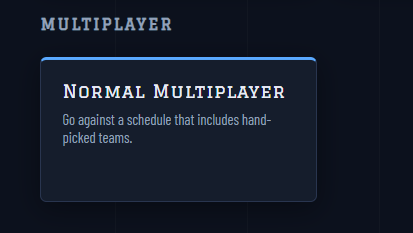
Fig. 10 Normal Multiplayer is the lane for a normal season with player-team pressure.
The mode-card screenshot is the entry point: when this card is available in the live app, it starts the collection-backed multiplayer flow rather than a plain historical-team draft.
Fantasy Draw
Normal Multiplayer starts with the same fantasy draw used by My Team Season. The app randomly draws 5 offensive players from your active published team. You choose exactly 2 of those cards to anchor the run.
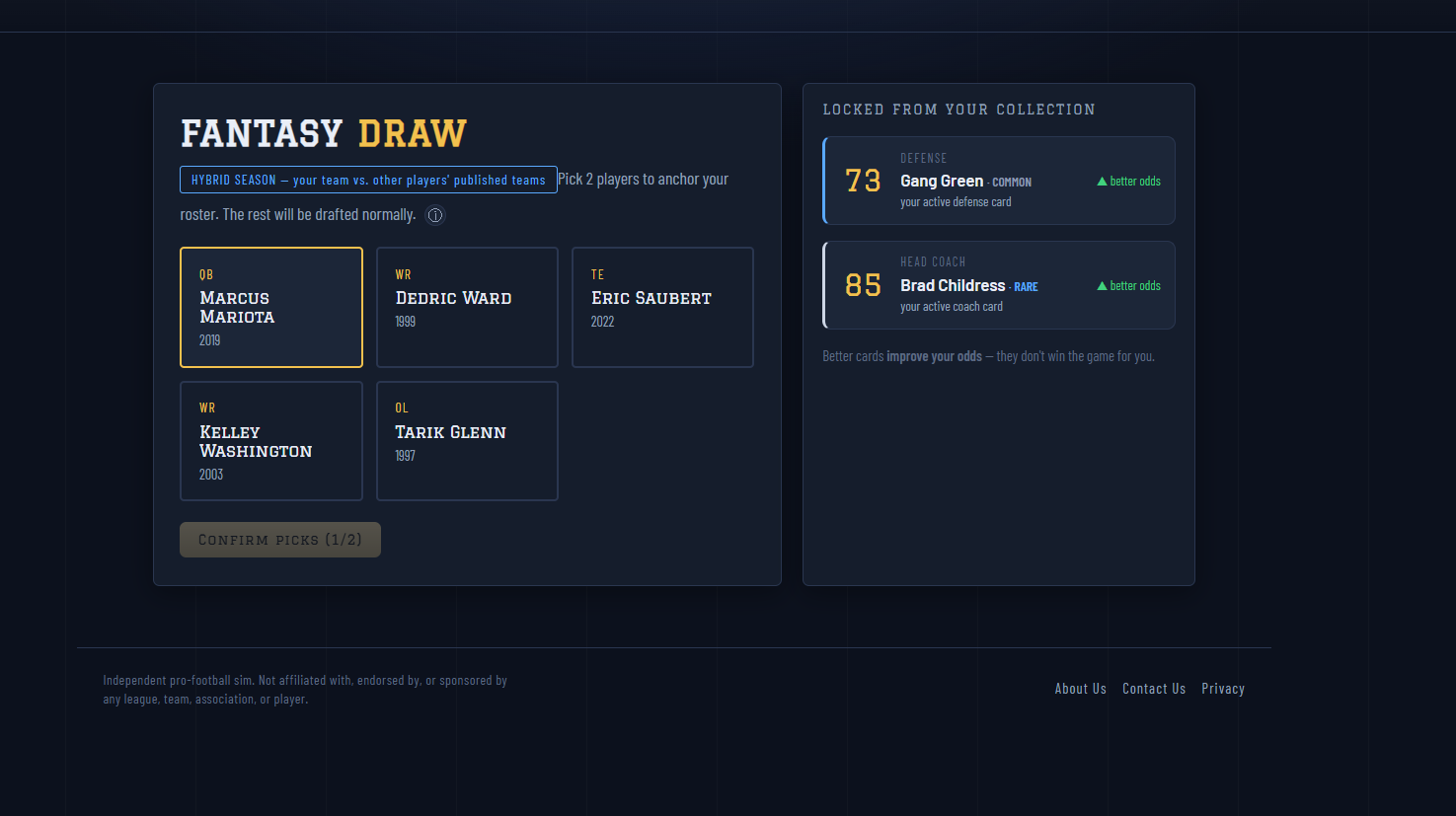
Fig. 11 The Fantasy Draw asks you to lock 2 of the 5 offensive cards from your published team. Your defense and head coach are already locked from that same published team snapshot.
In this screenshot, the five cards on the left are the random offensive draw. The right panel confirms the defense and head coach that are already locked from your published team. The Confirm Picks button stays gated until exactly two offensive cards are selected.
The five-card draw only uses offense slots from the published team: quarterback, running back, wide receivers, tight end, and offensive line. The app owns the slot assignment; you choose the two cards, not the exact depth-chart slots.
Note
Pick exactly two distinct cards. After those two anchor picks are locked, the rest of the offense is completed by the normal draft flow and fate-fill rules.
Your published team’s defense and head coach are added automatically. They come from the active published version at the time the run starts, so you do not roll separate defense cards or choose a coach for this mode.
What Changes
Normal Multiplayer keeps the pressure of Normal mode: build a complete team, run the season, and chase the perfect finish. The difference is how the run starts and who can appear on the schedule.
The current rule is up to 2 user-created opponent teams per season. The app selects eligible teams that other players published into the Hybrid Season opponent pool. Your own published team is excluded. If the eligible pool is thin, the season can contain 1 or 0 user-created opponents and still run normally.
When user-created opponents are pinned into the schedule, they replace the last regular-season games. With the current default cap of 2, that means two eligible published opponents land in the final two regular-season games.
That changes the draft mentality:
One weak position can be punished by a player-made roster.
A balanced team is usually safer than a top-heavy team.
Defense and coach choices matter because you are not only trying to beat a generic schedule.
Repeating a strong build matters because published teams can be tuned by real people.
Before You Start
If the live app shows the multiplayer lane as a team-based option, make sure your team is ready first.
Go to My Team.
Build or update your team.
Publish the team so it has a locked version.
Return to the mode screen.
Start the multiplayer season lane at perfect-20.com/team/season/hybrid.
Pick 2 of the 5 offensive cards in the Fantasy Draw.
Finish the remaining offense through the normal draft.
If the card is not available, the feature may be gated off for the current session or environment. Play Normal, My Team, or a gauntlet while waiting for the multiplayer lane to appear.
Draft Priorities
Use the same core draft rules as Normal mode, but tighten your standards. Multiplayer opponents make uneven rosters easier to expose.
- Quarterback
Do not wait too long unless your rolls are forcing the issue. A strong QB is still the easiest way to stabilize the run.
- Receivers and tight end
You need enough passing targets that one missed elite receiver does not collapse the offense.
- Offensive line
Take line help before the depth chart becomes desperate. A flashy roster with a thin line is fragile.
- Defense
Treat defense as a game-plan decision, not a leftover pick. Player-made teams can bring concentrated strengths.
- Coach
Use the coach to reinforce the roster you actually drafted, not the roster you hoped to draft.
How to Read the Result
After simulation, judge more than the final record.
If the team loses early, look for the first roster hole that got exposed.
If the team wins but misses perfection, check whether the loss came from a bad matchup or an avoidable draft gap.
If the run is close, replay the same style with one cleaner position plan.
If the build dominates, use it as the model for future runs.
Normal Multiplayer is best treated as a comparison tool. Your roster is not only being tested by the engine; it is being tested against the way other players construct teams.
Good Habits
Keep perfect-20.com open while reading the manual so you can compare your current screen against the examples.
Do not skip the mode card text. Availability and labels can change as the multiplayer feature evolves.
Publish a team you would actually want to face.
In the draft room, use every roll as if the opponent schedule will punish lazy depth-chart choices.
After a run, use the result as feedback for the next team build.